 ·
5 minute read
·
5 minute read
The Illusion of UI-First Failure
As established in the Enterprise Airtable Architecture Foundations, base performance is fundamentally a function of architectural design rather than raw record volume. Yet when decentralized teams treat Airtable as an organic visual spreadsheet rather than a structured database, they set in motion a silent timeline of decay.
In traditional database systems, structural failures are explicit and immediate. A compiler rejects an unmapped query parameter, a SQL migration script halts due to a constraint violation, or a database engine rejects a transaction to prevent a deadlock. These rigid validation rules are documented in standard query-processing guides, such as the Microsoft SQL Server Query Processing Architecture Guide. The system breaks visibly, alerting database administrators immediately.
In a no-code ecosystem, however, decay is visual and gradual. When an operational base begins to stall under enterprise volume, builders focus on visible symptoms: sluggish Kanban views, calculation wheels spinning on complex action buttons, or warnings that a base is approaching its native plan limits, as outlined in the Airtable Plans and Limits Overview. They assume that as long as the user interface remains responsive, the underlying system is healthy.
This is a dangerous misconception. Interface latency is not the start of database failure; it is the final, macroscopic phase of a decay process that begins much earlier. Long before an operator experiences UI lag, the database has already begun to degrade. The actual breakdown occurs silently at the ingestion boundary, where uncompiled schemas and a lack of transactional controls poison downstream enterprise software systems. This silent transformation is a classic example of database schema drift, a phenomenon documented in the AWS Prescriptive Guidance Library, where structural modifications degrade downstream data integrity without throwing explicit errors.
The Chronological Decay Timeline
As an organic base scales to support concurrent enterprise workflows, it undergoes a predictable three-stage architectural decay.
Stage 1: Silent Schema Drift (The Ingestion Boundary Breakdown)
The first point of failure in a scaling database is silent schema drift. This occurs because Airtable does not natively support schema locking or automated database migration scripts.
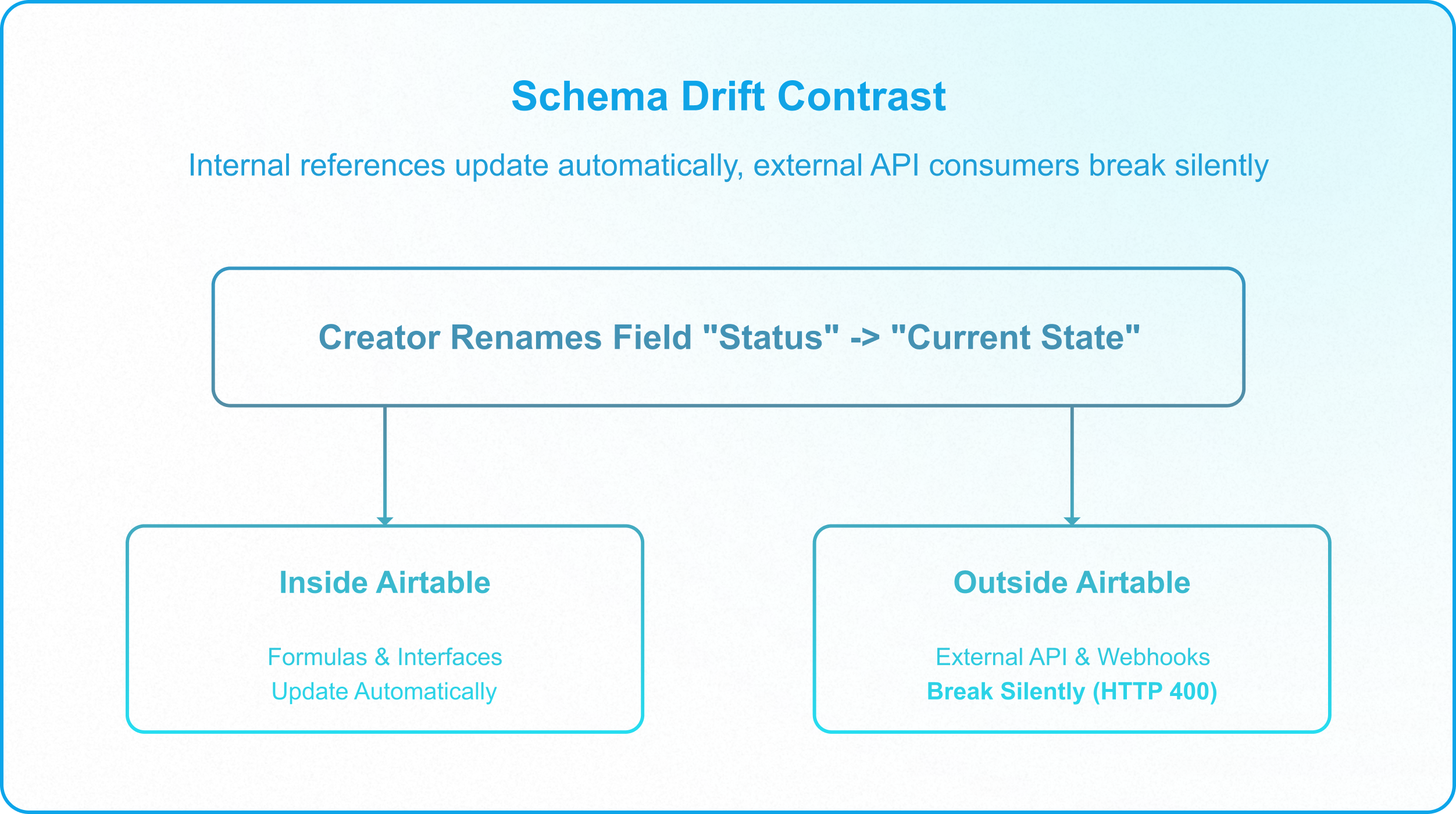
In Airtable, any user granted Creator privileges can rename a field, delete a column, or alter a single-select option (e.g., changing In Progress to Active Processing) directly in the live production base. Inside the base, the change looks seamless: Airtable automatically refactors internal formulas and native interfaces to reflect the new field name. However, this internal convenience hides a severe external vulnerability:
- API Integrity Breakage: Any external script, webhook, or middleware integration querying that field by its literal string key immediately breaks.
- Failed Ingestion: Because the Airtable Web API does not reject requests containing unmapped parameters, external integrations write empty values or drop tracking payloads entirely, without throwing a database error.
- Zero Creator Warning: The operator who modified the field receives no notification that they have severed downstream integrations.
This silent drift degrades the data contracts that connect Airtable to adjacent enterprise systems. To prevent this integration breakdown, builders must manage structural modifications through strict deployment guardrails, as detailed in Enforcing Data Contracts in Airtable.
Stage 2: Automation and API Congestion (The Concurrent Write Ceiling)
As operational volume scales, the base transitions from a single user tracking tool to a shared system where multiple integrations, background automations, and human operators write to the same tables at the same time. At this volume, the failure vector isn't data corruption. It's throughput. Airtable enforces hard platform ceilings that an ungoverned setup will hit early, and the failures show up as silent delays, queued backlogs, or blocked automations rather than overwritten data.
- The API rate limit: Every base is capped at 5 requests per second through the API. A newbie builder connecting several integrations (a form tool, a sync job, a reporting dashboard, a script run manually by a teammate) has no visibility into how close they are to that ceiling. When multiple write sources fire concurrently, requests queue or get throttled. If the integration doesn't have retry logic built in, the write simply fails and nothing in the base interface signals that it happened.
- The active automation cap. Airtable limits a base to 50 active automations, even on Enterprise plans. Builders who create a new automation for every discrete business rule (rather than consolidating logic into fewer, branched automations) hit this ceiling far sooner than expected, and are then forced into a rushed consolidation effort under production pressure.
- Looping and conditional logic limitations: Airtable's native conditional logic and looping are limited compared to a general-purpose environment. Builders working around this constraint often end up chaining multiple automations together or relying on brittle workarounds, which increases the number of moving parts that can silently fail as volume grows.
The practical governance response here is the same instinct as Stage 1: audit and consolidate before scaling. Know how many automations are active, how many API calls each integration makes per minute, and whether any of them lack retry or backoff logic. The base doesn't fail loudly when these ceilings are hit. It fails quietly, and the backlog is often discovered only when someone asks why a record hasn't updated.
Stage 3: The Governance Freeze (The Abstraction Paradox)
The final stage of decay is organizational. As the base grows, builders construct a complex web of interfaces, formulas, scripts, and webhook integrations to keep the system running. Because the database was built organically without a centralized schema registry, no single builder understands the entire data topology.
This complexity triggers the Governance Freeze:
- The Dependency Black Box: Airtable’s Metadata API does not expose downstream API clients or external Webhook triggers.
- Refactoring Paralysis: Database administrators cannot safely refactor the schema. Deleting a seemingly obsolete helper field carries the risk of breaking an undocumented, mission-critical script running in another department.
- Horizontal Bloat: To bypass this freeze, builders construct secondary tables and redundant fields rather than refactoring the core schema. This horizontal expansion multiplies lookup and rollup calculation paths, degrading base performance, as analyzed in Spaghetti Architecture.
Actionable Strategy: Transitioning from Build to Scale
For an enterprise builder inheriting a degraded, undocumented Airtable ecosystem, recovery requires transitioning from visual convenience to structured database governance. To arrest the chronological decay cycle and stabilize your data layer, implement this three-step remediation plan:
1. Audit the Ingestion Boundary
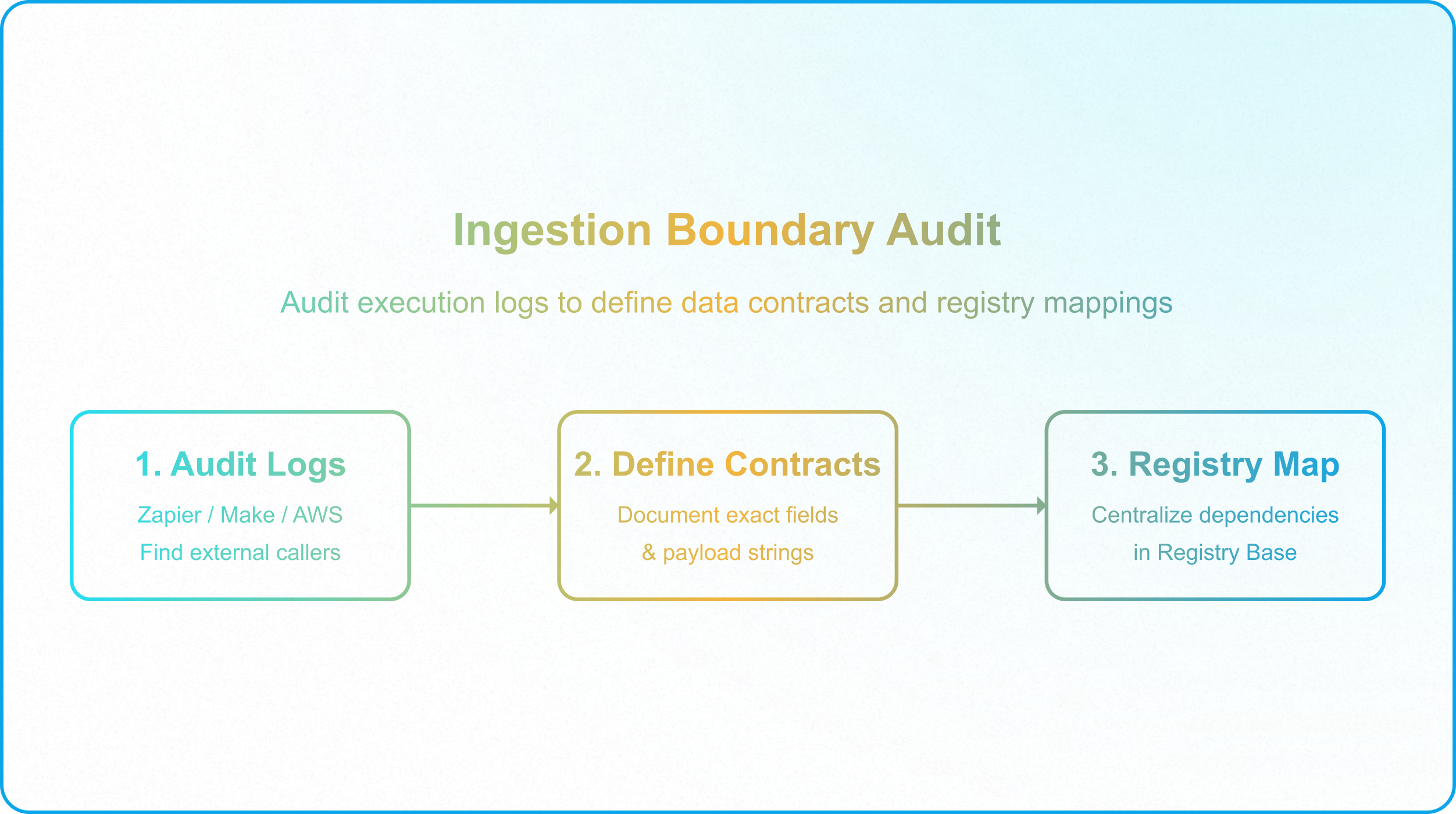
Do not touch the schema until you have mapped your dependency graph. Because Airtable's Metadata API does not expose external API clients, you must audit your integration setups (such as Make history, Zapier run logs, or AWS cloud logs) to catalog every external caller. Document the exact tables, fields, and string keys these integrations query. This forms the baseline for your data contracts.
2. Enforce Database Isolation
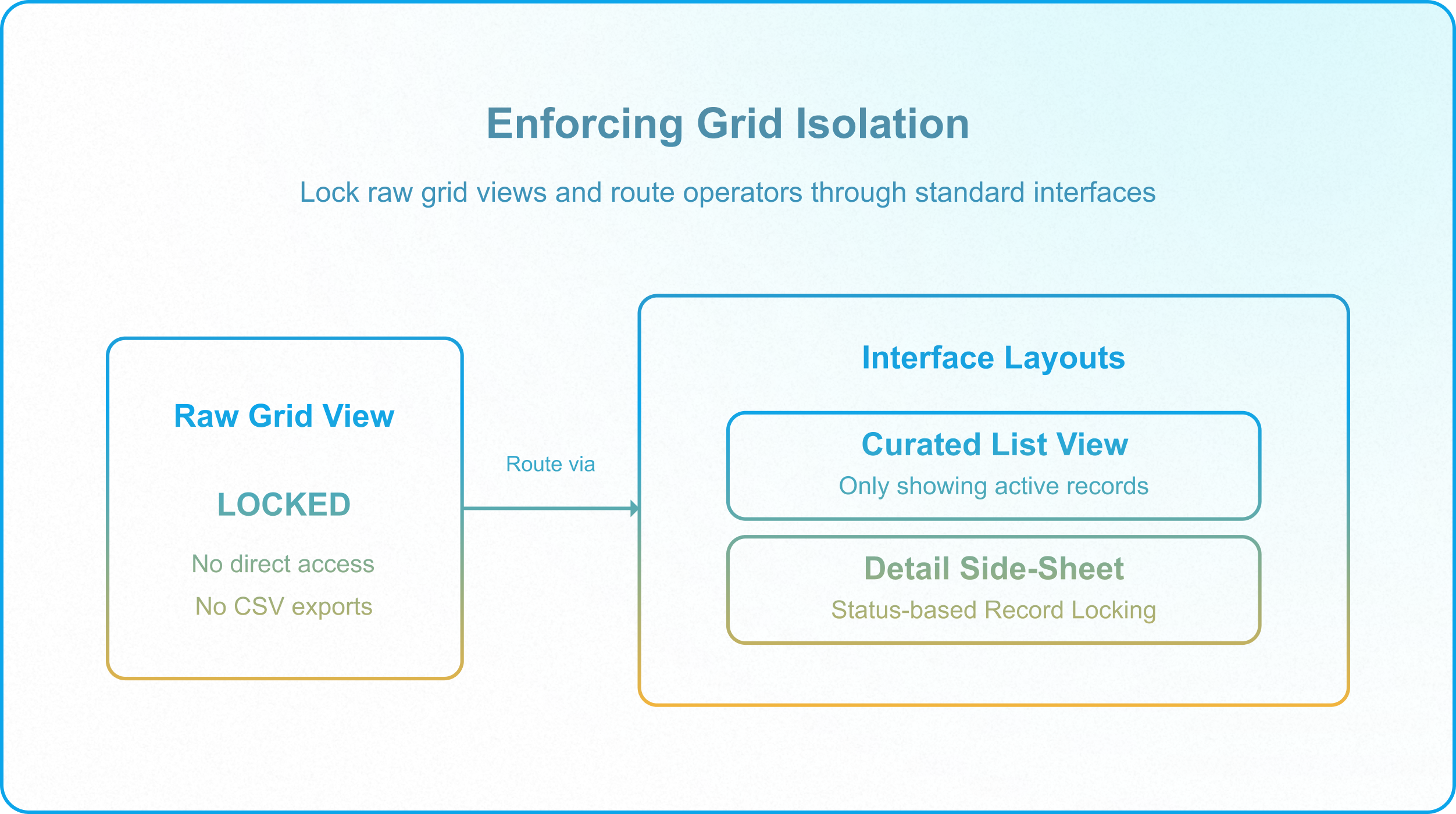
Protect your write path from manual operator errors and concurrency collisions. Transition all human operators out of the raw base grid. Invite them strictly as Interface-Only collaborators, forcing them to interact with records through curated Interface layouts, preferring standard List layouts with "Click into record details" enabled. Ensure that once status flags indicate a record has been finalized, it is immediately locked from edits using status-based filtering rules.
3. Deploy a Staging Sandbox
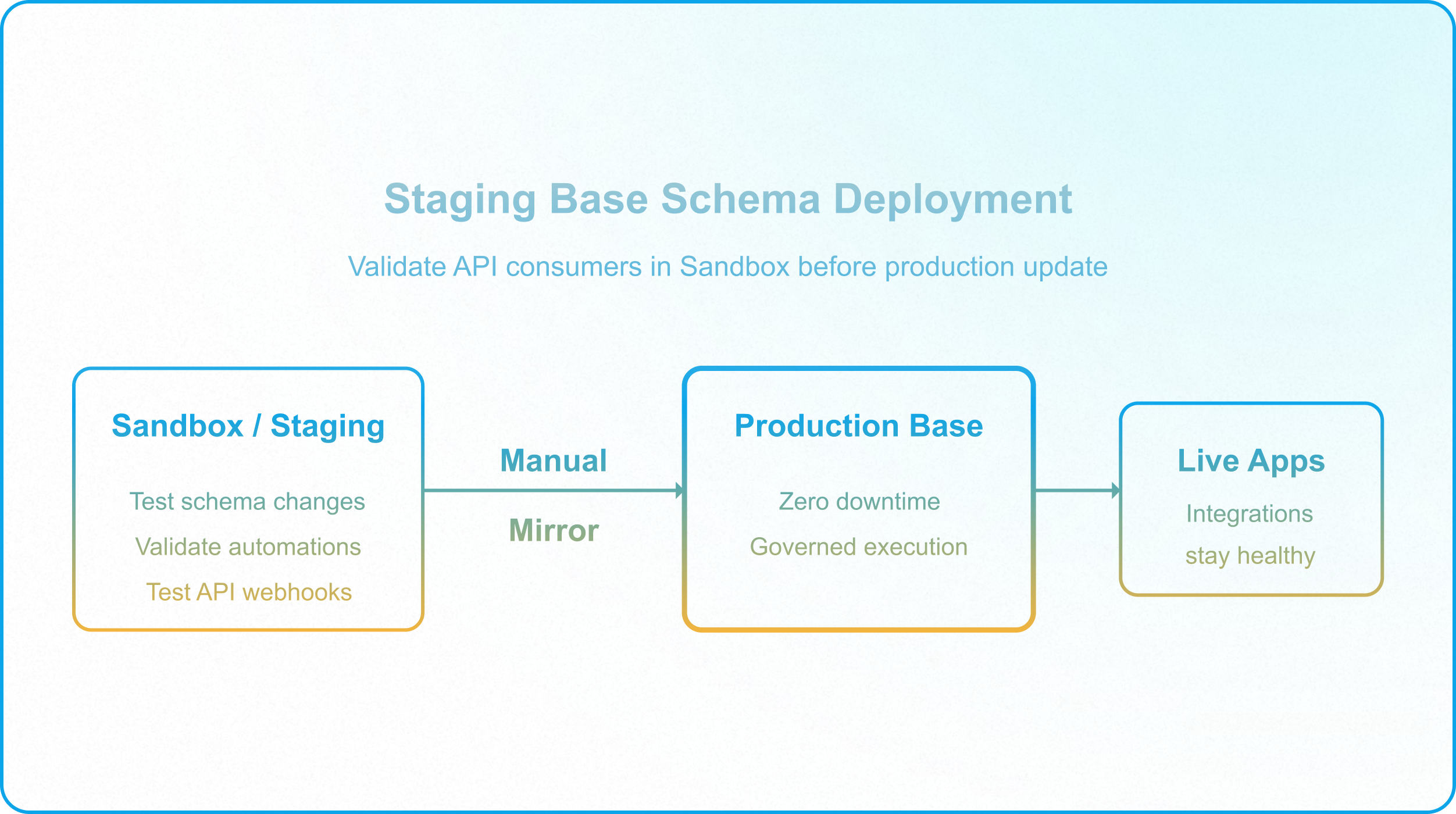
Eliminate live production schema updates. Test all structural changes (adding fields, renaming options, altering scripting automations) in a staging environment before applying them to production. Create a duplicate base for this purpose. On Enterprise plans, the App Sandbox feature provides an isolated environment for testing automations and scripts without duplicating the base, and can be used instead of or alongside a staging base. Test external API calls against the staging base or sandbox first. Once validated, manually replicate the schema changes in production during a scheduled maintenance window.
By treating the database as managed infrastructure rather than a collaborative whiteboard, enterprise builders can protect data integrity, prevent integration failures, and ensure the system remains a reliable engine for corporate operations.
Architectural Synthesis: The Hybrid Operational Layer
Stabilizing a decaying Airtable base is not about transforming the platform into a replacement for an enterprise data warehouse. Rather, it is about recognizing Airtable’s true place in the modern data stack: a collaborative, real-time operational database. When an organization hits the Enterprise Tipping Point, it is a sign that the database has been overloaded with analytical workloads and historical storage that belong in systems built for bulk processing, such as Snowflake or BigQuery. The ultimate goal for the enterprise database architect is not to write longer scripts or build wider tables, but to decouple operational interfaces from backend analytical storage. To scale successfully, you must implement a hybrid architecture:
- Operational Control Plane: Keep active workflows, project coordination, and human data-entry interfaces inside Airtable, secured by Interface-Only access control and strict data validation rules.
- Data Lake Offloading: Configure automated pipelines to offload historical records and transaction logs to a data warehouse once they reach terminal locked states. This keeps your active base lightweight, keeping your row count well below platform performance boundaries.
- Decoupled Logic: Move heavy background processing, multi-system synchronization, and batch modifications off of Airtable's collaborative thread and onto dedicated application layers.
By enforcing these boundaries, you protect the high-velocity agility that makes no-code tools valuable, while maintaining the transactional integrity, security, and predictability of an enterprise-grade database.