
 ·
3 minute read
·
3 minute read
As we established in The God Automation, cramming endless, disjointed execution steps into a single workflow leads to untrackable errors and corrupted data states. However, the solution is not to break every single action into its own Airtable automation.
With a hard limit of 50 active automations per base (even on Enterprise plans), adopting a strict "one action per automation" rule will quickly exhaust your resources and goes against Airtable’s own performance guidelines.
Instead, the Single Responsibility Principle (SRP) in Airtable must be viewed through the lens of State Transitions and External Orchestration.
1. Redefining Single Responsibility: State Transitions
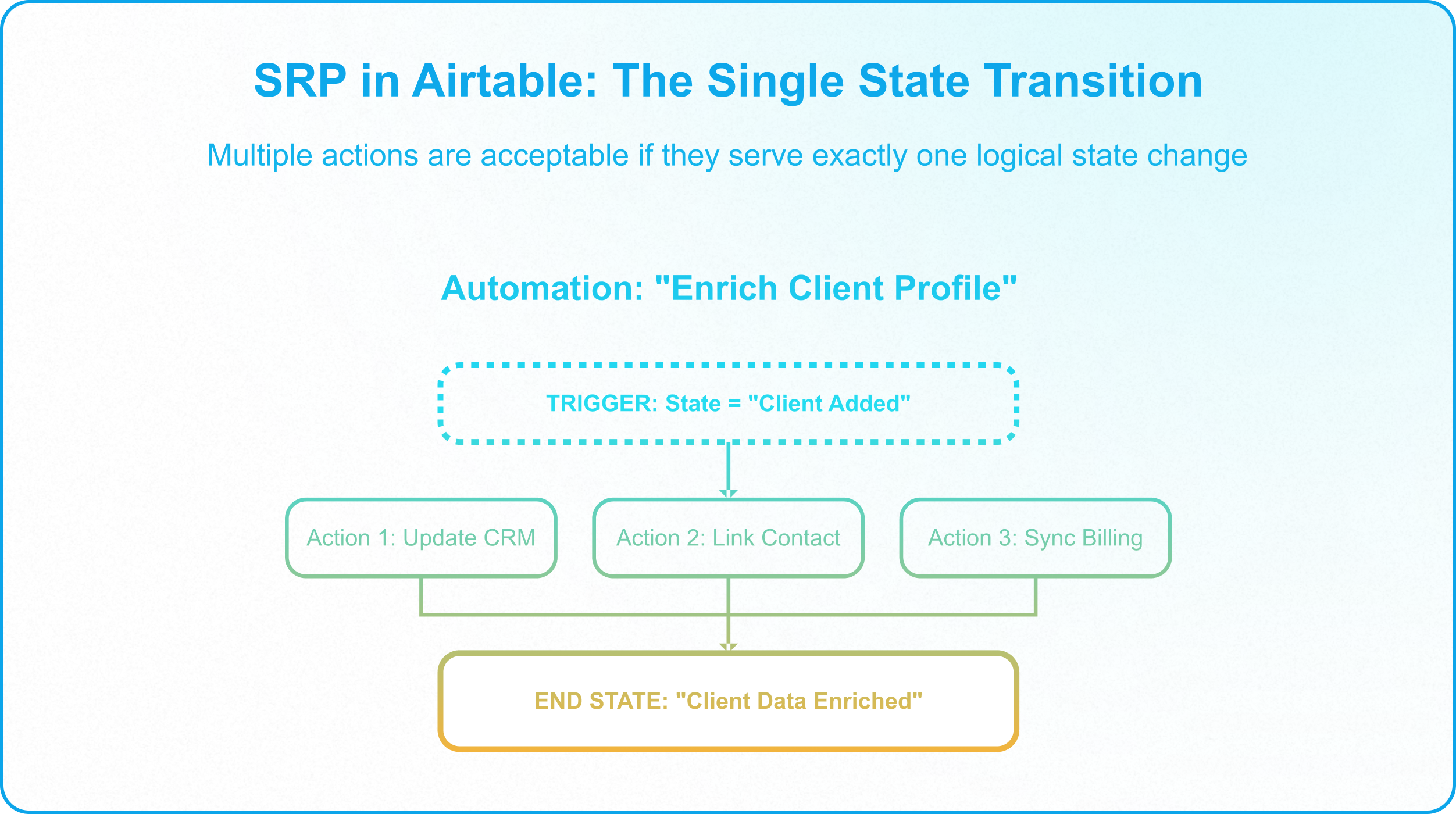
In traditional software, SRP means a module should do one thing. In Airtable, this translates to: An automation should be responsible for a single state transition.
It is completely acceptable, and often necessary, for one automation to perform multiple actions if they belong to the same logical state change. For example, an automation that enriches client data from an external CRM might write a dozen fields across multiple connected tables, updating the client record, its linked contact records, and its billing profile in a single run.
There is nothing wrong with this. It is still one state transition: Client_Added -> Client_Data_Enriched.
If the automation fails, it fails trying to complete that specific transition. The responsibility of the automation is not "Update Name" or "Update Email," but "Enrich Client Profile."
2. When to Decouple Automations
While you shouldn't create a new automation for every minor action, there are strategic cases where decoupling is essential. As a rule of thumb: the reasoning for decoupling should never simply be "multiple changes, one automation for each change." Instead, you decouple when you need to handle errors gracefully, avoid skipping records, or allow manual intervention.
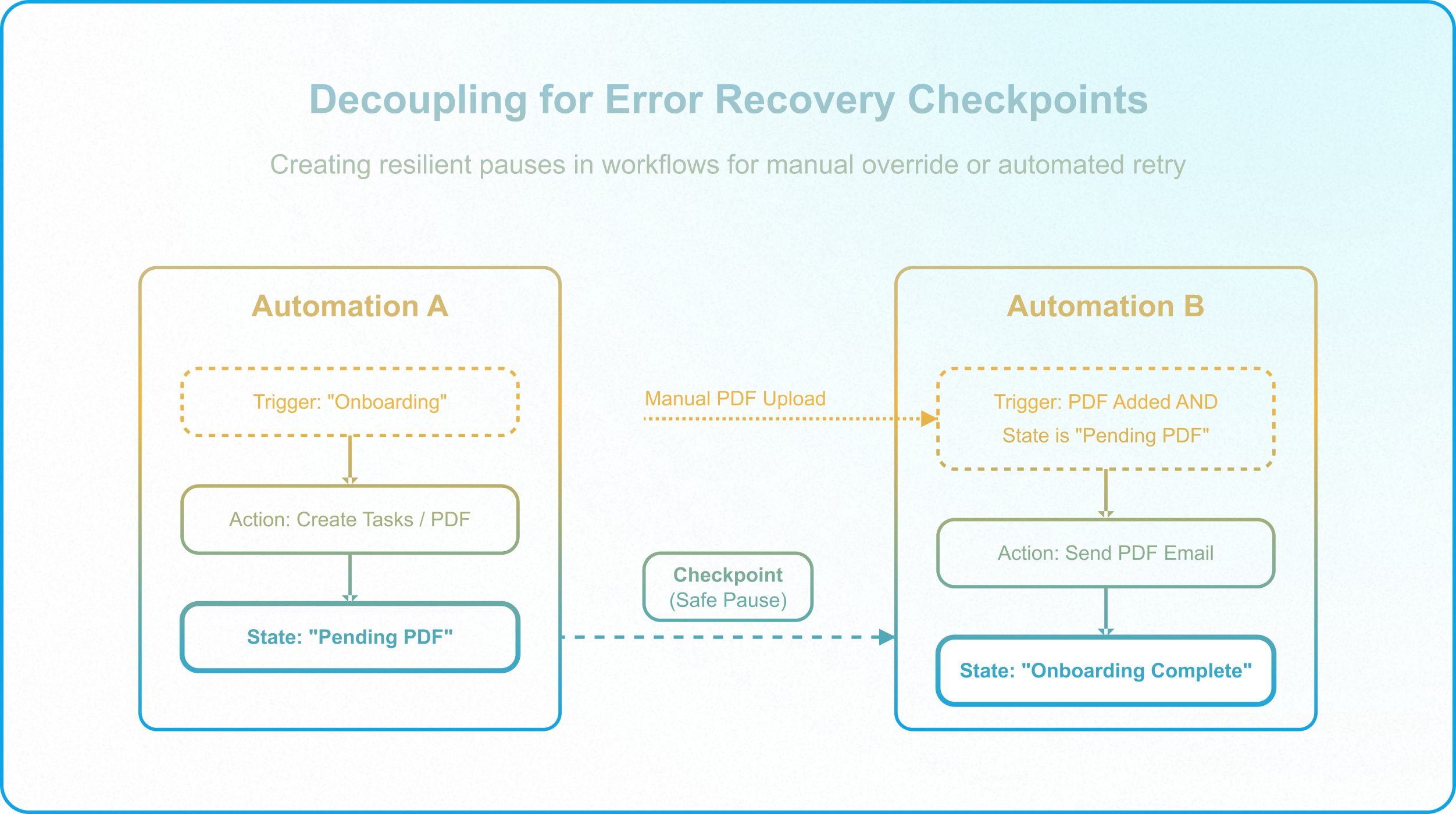
Consider a workflow where a Client is marked as 'Onboarding', which requires creating tasks, and then sending a Welcome PDF.
If you decouple these into two state-based automations:
- Automation A: Triggers on Onboarding -> Creates Tasks and fires the external PDF generator (which uploads the PDF back to Airtable) -> Updates state to Pending_PDF.
- Automation B: Triggers when a PDF is added and the state is Pending_PDF -> Sends the PDF -> Updates state to Onboarding_Complete.
Why this division is logical:
- Multiple Entry Points: If a client is marked as 'Onboarding' manually by a user, via an external API, or through a data import, Automation A still catches it and creates the tasks.
- Error Recovery & Retries: If the PDF generator runs out of credits or breaks, the record pauses at Pending_PDF. A user can manually upload the PDF, which Automation B will send on its own, or, once the generator is fixed, switch the state back to Onboarding to retry generation from Automation A.
You decouple to create resilient checkpoints, not just for the sake of having multiple automations not just for the sake of having multiple automations, a distinction explored further in Why Architectural Design Always Wins Over Configuration.
3. The Limit of Airtable Automations: Use External Orchestration
What happens when you have a truly complex flow where everything must be processed together, and if step 4 fails, steps 1-3 need to be 'rolled back' to maintain data integrity?
Do not try to build complex, rollback-dependent transaction managers in Airtable.
Airtable's native automations are not built for complex error handling, conditional branching with loops, or transaction rollbacks. When you encounter a workflow that requires this level of orchestration, you should move it to a third-party automation builder like Make.
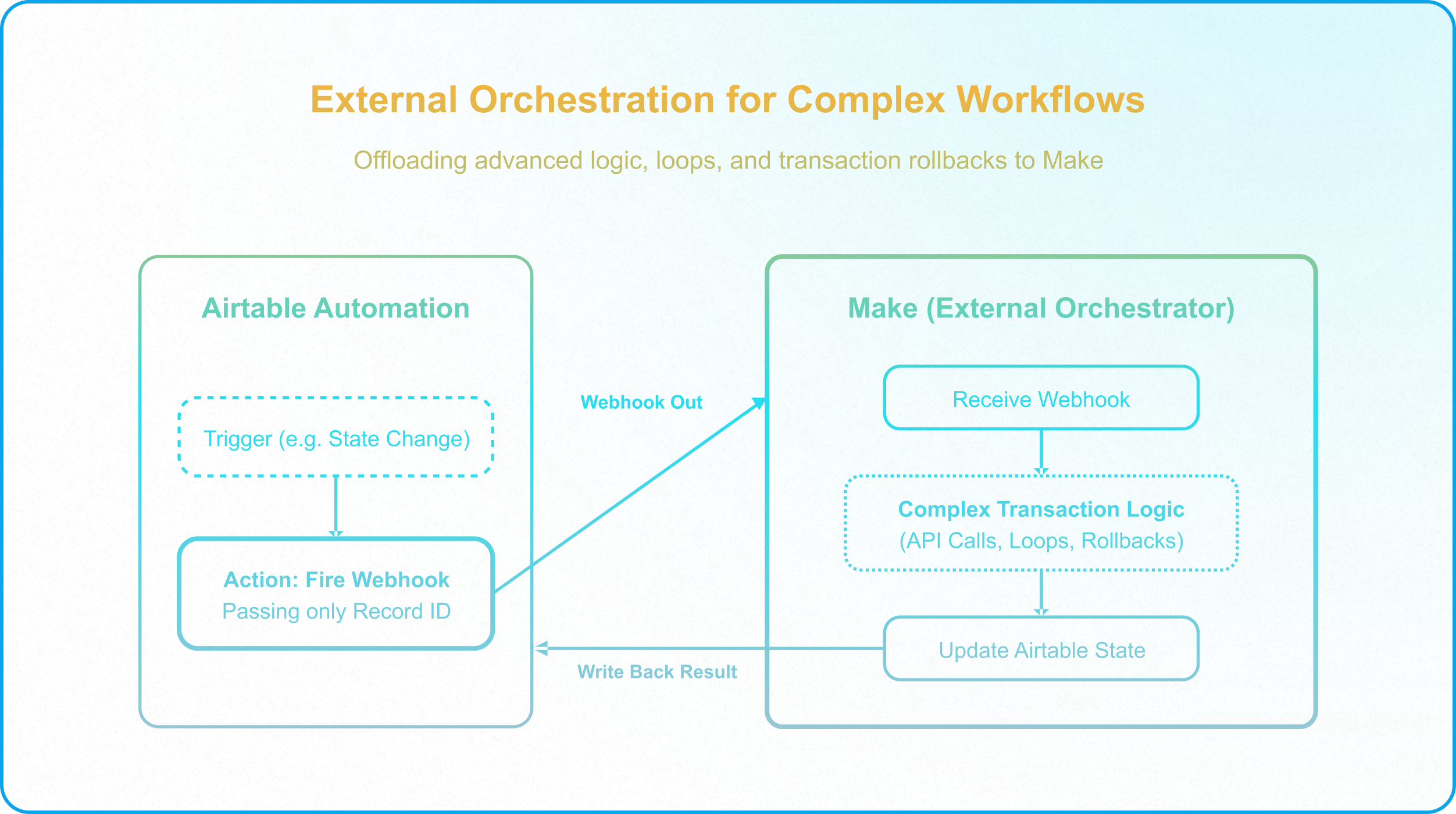
The SRP approach to complex workflows:
- Your Airtable automation does exactly one thing: It fires a single Webhook to Make, passing the Record ID.
- Make receives the webhook, handles all the complex logic, API calls, error catching, and data rollbacks.
- Make updates the Airtable record with the final success or failure state.
By offloading complex execution, you preserve your 50-automation limit, reduce base latency, and utilize tools built specifically for advanced error handling advanced error handling —one that only holds together when the automation layer is built as one piece of a larger, deliberately governed system. the same logic behind a Best-of-Breed Integration Strategy.
4. The SRP Audit
Before deploying a new automation, run it through this architectural checklist:
- The State Transition Test: Does this automation handle exactly one state transition? (e.g., Draft -> Published). If it tries to move a record through multiple distinct phases (e.g., Draft -> Published -> Archived), it's doing too much.
- The Limit Check: Could this multi-step Airtable automation be replaced by a single webhook to an external orchestrator (like Make) to save automation count and improve error handling?
- The Checkpoint Test: Are we decoupling at natural human or system checkpoints where a retry or manual override might be necessary?
The Shift to Modular Execution
Transitioning to Single Responsibility in Airtable requires a pragmatic balance one that only holds together when the automation layer is built as one piece of a larger, deliberately governed system. You must build state-tracking fields before you build automations, group logical actions within the same state transition, and know when to offload complexity to external orchestrators.
If your workspace requires this level of operational resilience, Schedule a Discovery Call with InAir.
We architect robust state machines and optimize your automation usage for enterprise-grade scalability.